Use xCluster Disaster Recovery (DR) to recover from an unplanned outage (failover) or to perform a planned switchover. Planned switchover is commonly used for business continuity and disaster recovery testing, and failback after a failover.
{{}}
This feature is Early Access; to try it, contact {{% support-cloud %}}.
{{}}
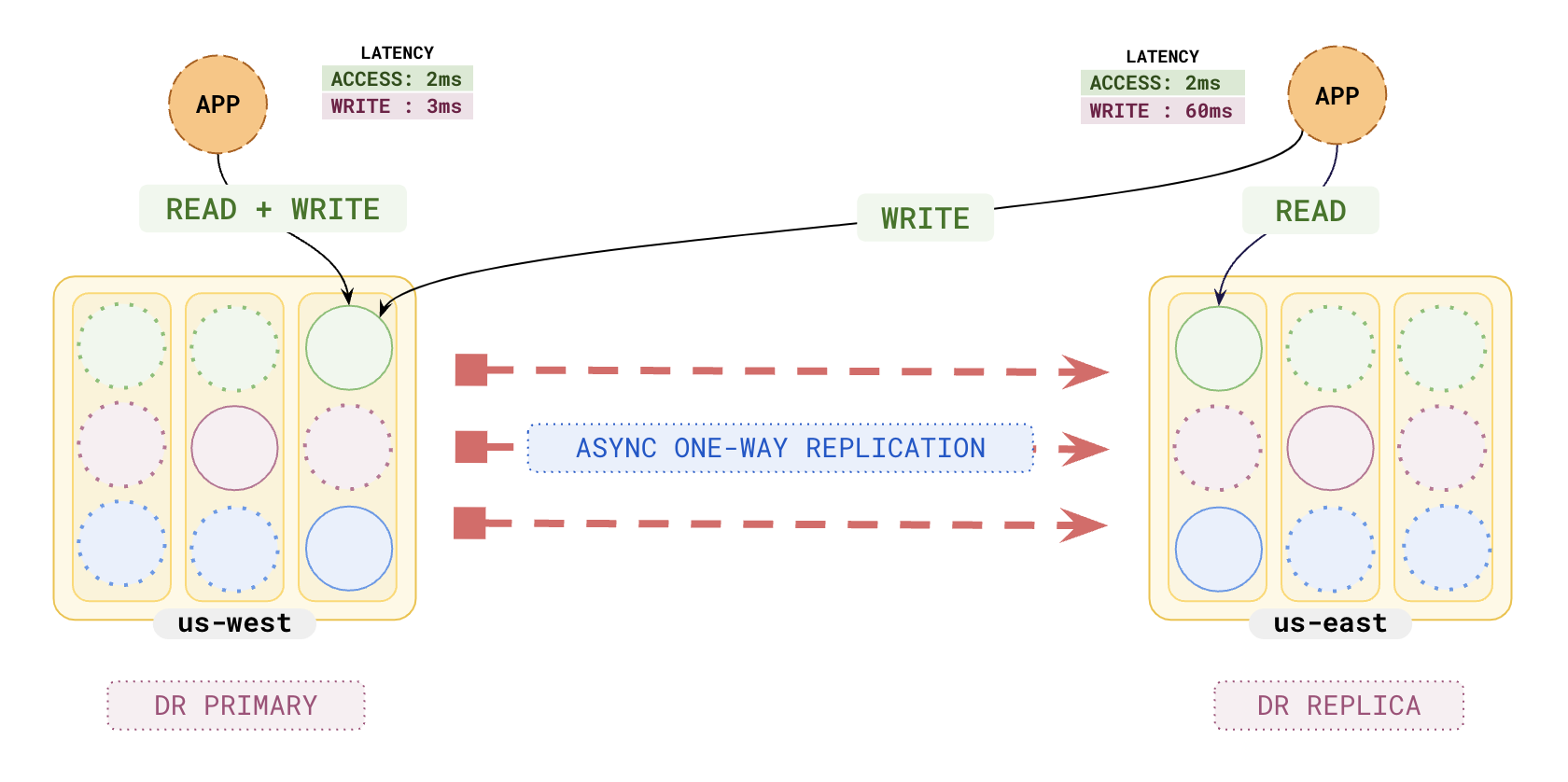
A DR configuration consists of the following:
- a Source cluster, which serves both reads and writes.
- a Target cluster, which can also serve reads.
## RPO and RTO for failover and switchover
Data from the Source is replicated asynchronously to the Target (which is read only). Due to the asynchronous nature of the replication, DR failover results in non-zero recovery point objective (RPO). In other words, data not yet committed on the Target _can be lost_ during a failover. The amount of data loss depends on the replication lag, which in turn depends on the network characteristics between the clusters. By contrast, during a switchover RPO is zero, and no data is lost, because the switchover waits for all data to be committed on the Target _before_ switching over.
The recovery time objective (RTO) for failover or switchover is very low, and determined by how long it takes applications to switch their connections from one cluster to another. Applications should be designed in such a way that the switch happens as quickly as possible.
DR further allows for the role of each cluster to switch during planned switchover and unplanned failover scenarios.
{{}}
[xCluster DR vs xCluster Replication](../../../yugabyte-platform/back-up-restore-universes/disaster-recovery/#xcluster-dr-vs-xcluster-replication)
{{}}
{{}}
{{}}
{{}}
{{}}
{{}}
## Limitations
- Disaster recovery requires both clusters to be running the same version of YugabyteDB, and the version must be {{}} or later.
- If a database operation requires a full copy, any application sessions on the database on the DR target will be interrupted while the database is dropped and recreated. Your application should either retry connections or redirect reads to the Source.
- Currently in YugabyteDB Aeon, you cannot use xCluster Disaster Recovery with point-in-time recovery (PITR) on the same database. If you have PITR configured for a database and want to set up xCluster Disaster Recovery, [disable PITR](../aeon-pitr/#disable-pitr) first.