YugabyteDB is resilient to a single-domain failure in a deployment with a replication factor (RF) of 3. To survive region failures, you deploy across multiple regions. Let's see how YugabyteDB survives a region failure.
{{}}
Although you could use an RF 3 cluster, an RF 5 cluster provides quicker failover; with two replicas in the preferred regions, when a leader fails, a local follower can be elected as a leader, rather than a follower in a different region.
{{}}
## Setup
Consider a scenario where you have deployed your database across three regions - us-west, us-east, and us-central. Typically, you choose one region as the [preferred region](../../multi-region-deployments/synchronous-replication-ysql/#preferred-region) for your database. This is the region where your applications are active. Then determine which region is closest to the preferred to be the failover region for your applications, and set this region as your second preferred region for the database. The third region needs no explicit setting and automatically becomes the third preferred region.
{{}}
{{}}
{{}}
All illustrations adhere to the legend outlined in [Legend for illustrations](../../../contribute/docs/docs-layout#legend-for-illustrations)
{{}}
In the following illustration, the leaders are in us-east (the preferred region), which is also where the applications are active. The standby application is in us-central and will be the failover. This has been set as the second preferred region for the database.
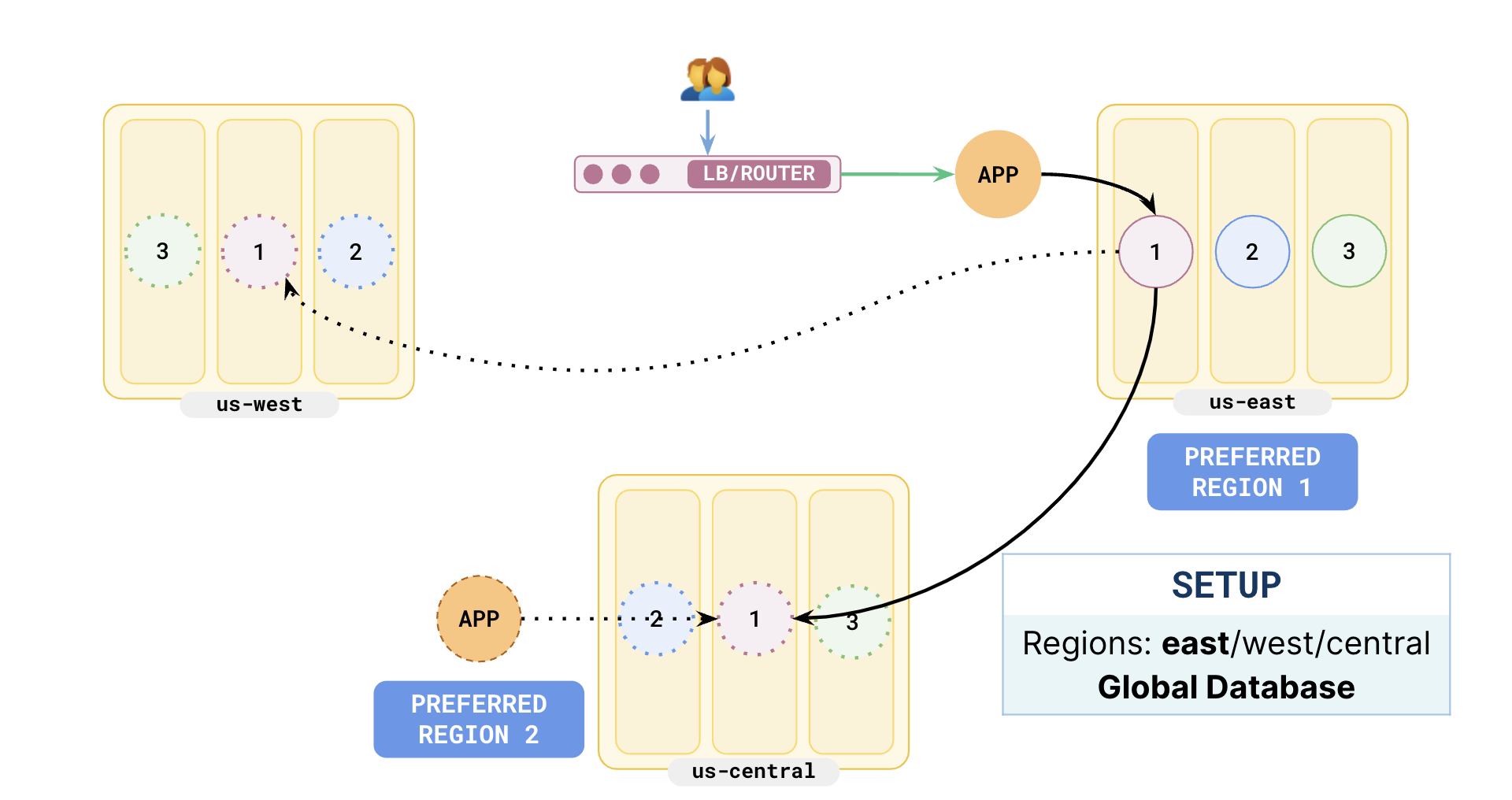
Users reach the application via a router/load balancer which would point to the active application in us-east.
Now when the application writes, the leaders replicate to both the followers in us-west and us-central.
As us-central is closer to us-east than us-west, the followers in central will acknowledge the write faster, so that follower will be up-to-date with the leader in us-east.
## Third region failure
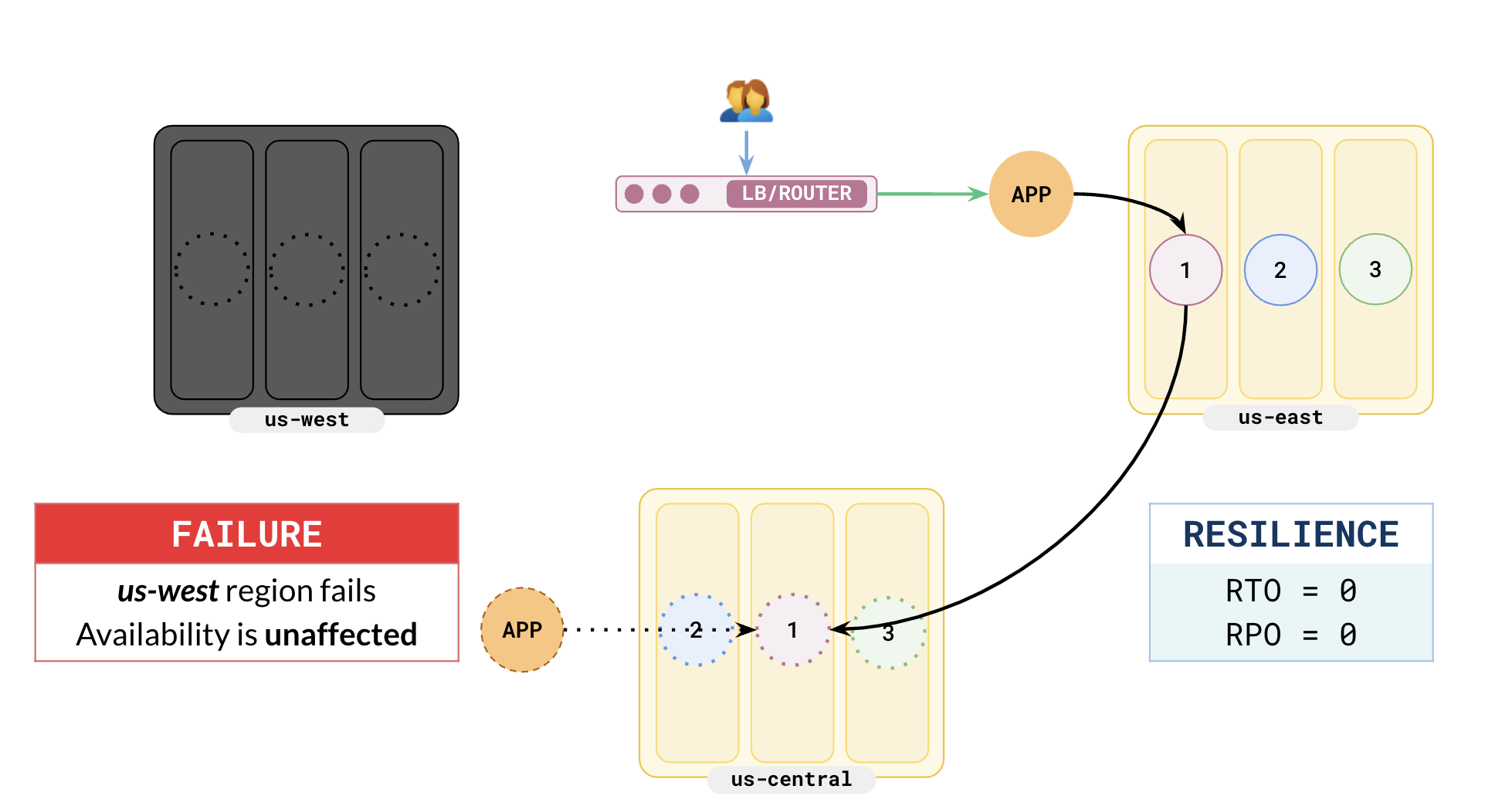
If the third (least preferred) region fails, availability is not affected at all. This is because the leaders will be in the preferred region, and there will be one follower in the second preferred region. There is no data loss and no recovery is needed.
{{}}
{{}}
The following illustration shows the scenario of the third region (us-west) region failing. As us-east has been set as the preferred region, there are no leaders in us-west. When this region fails, availability of the applications is not affected at all as there is still one follower active (in us-central) for replication to continue correctly.
## Secondary region failure
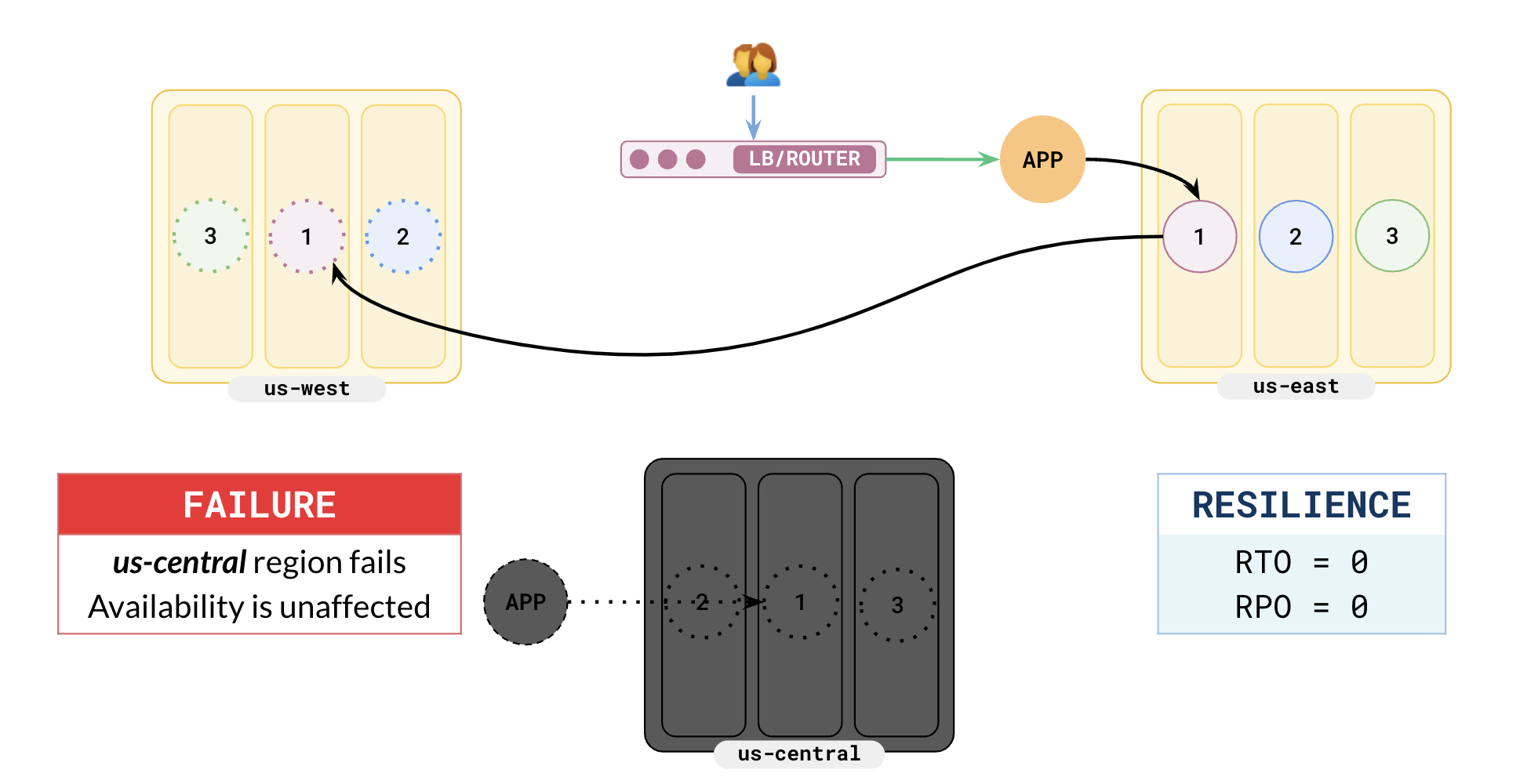
When the second preferred region fails, availability is not affected at all. This is because there are no leaders in this region - all the leaders are in the preferred region. But your write latency could be affected as every write to the leader has to wait for acknowledgment from the third region, which is farther away. Reads are not affected as the primary application will read from the leaders in the preferred region. There is no data loss at all.
{{}}
{{}}
In the following illustration, you can see that as us-central has failed, writes are replicated to us-west. This leads to higher write latencies as us-west is farther away from us-east than us-central. But there is no data loss.
## Preferred region failure
When the preferred region fails, there is no data loss but availability will be affected for a short time. This is because all the leaders are located in this region, and your applications are also active in this region. At the moment of the preferred region failure, all tablets will have no leaders.
{{}}
{{}}
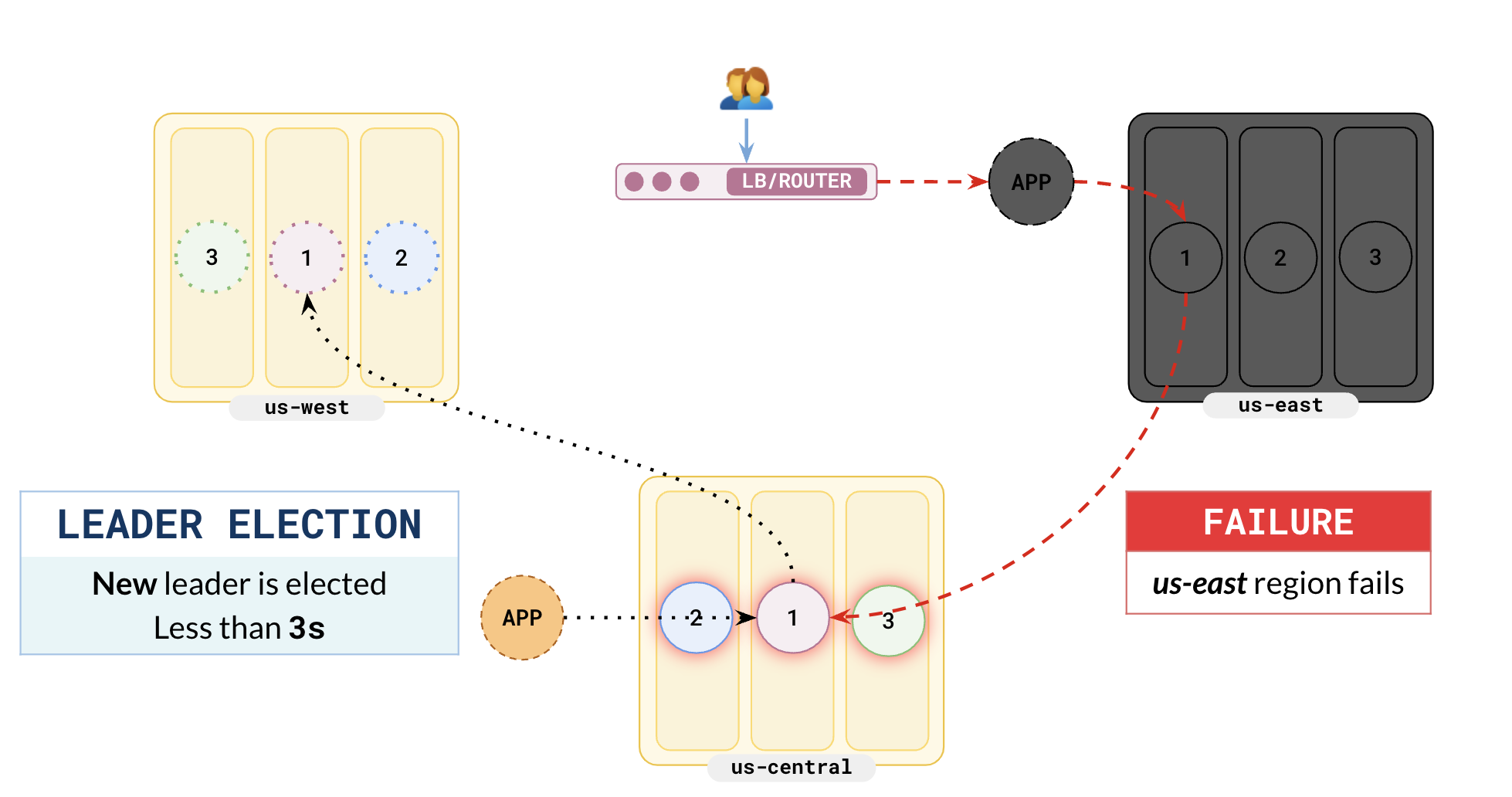
The following illustration shows the failure of the preferred region, us-east.
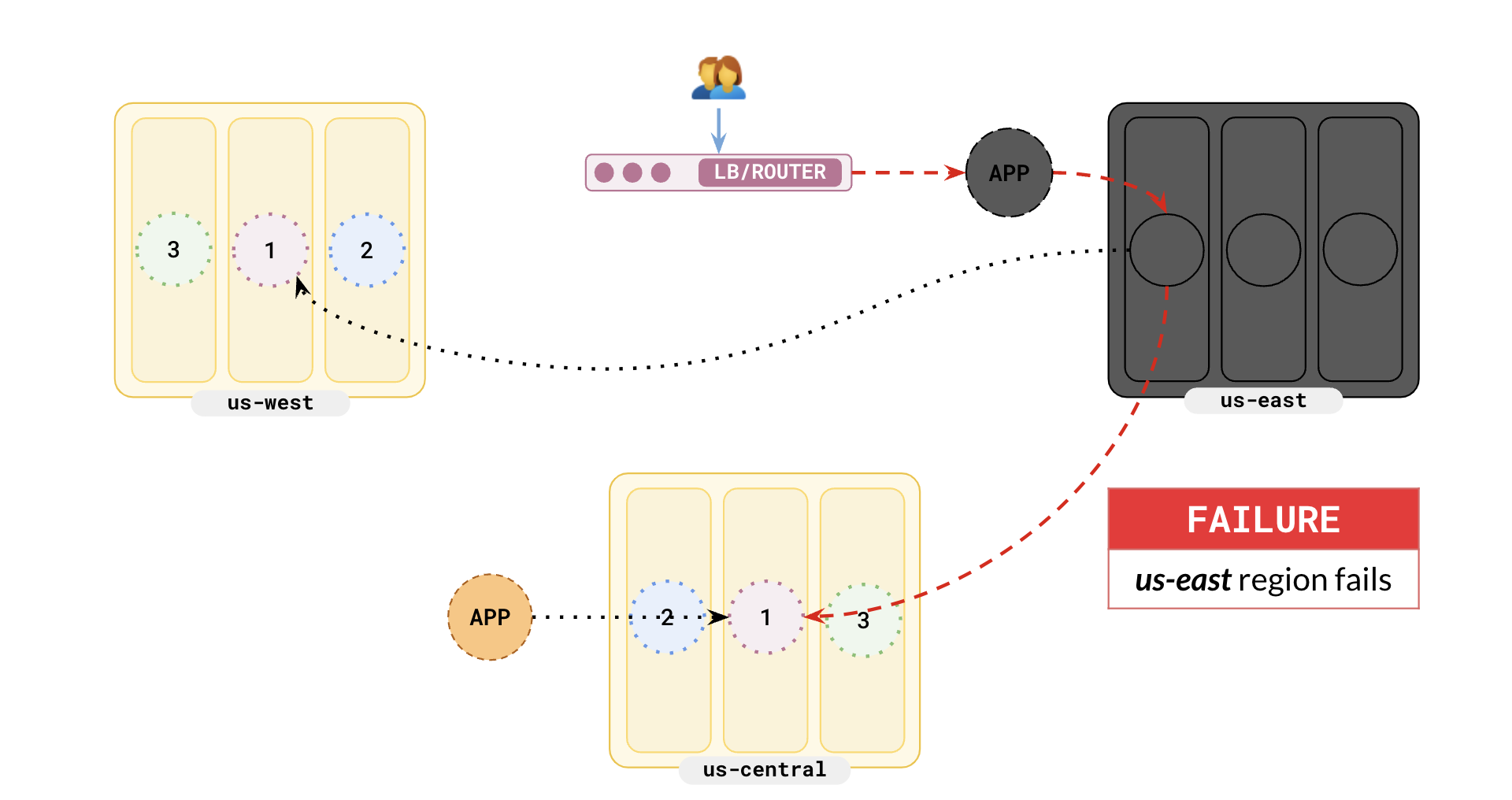
Because there are no leaders for the tablets, leader election is triggered and the followers in the secondary region will be promoted to leaders. Leader election typically takes about 3 seconds.
The following illustration shows that the followers in us-central have been elected as leaders.
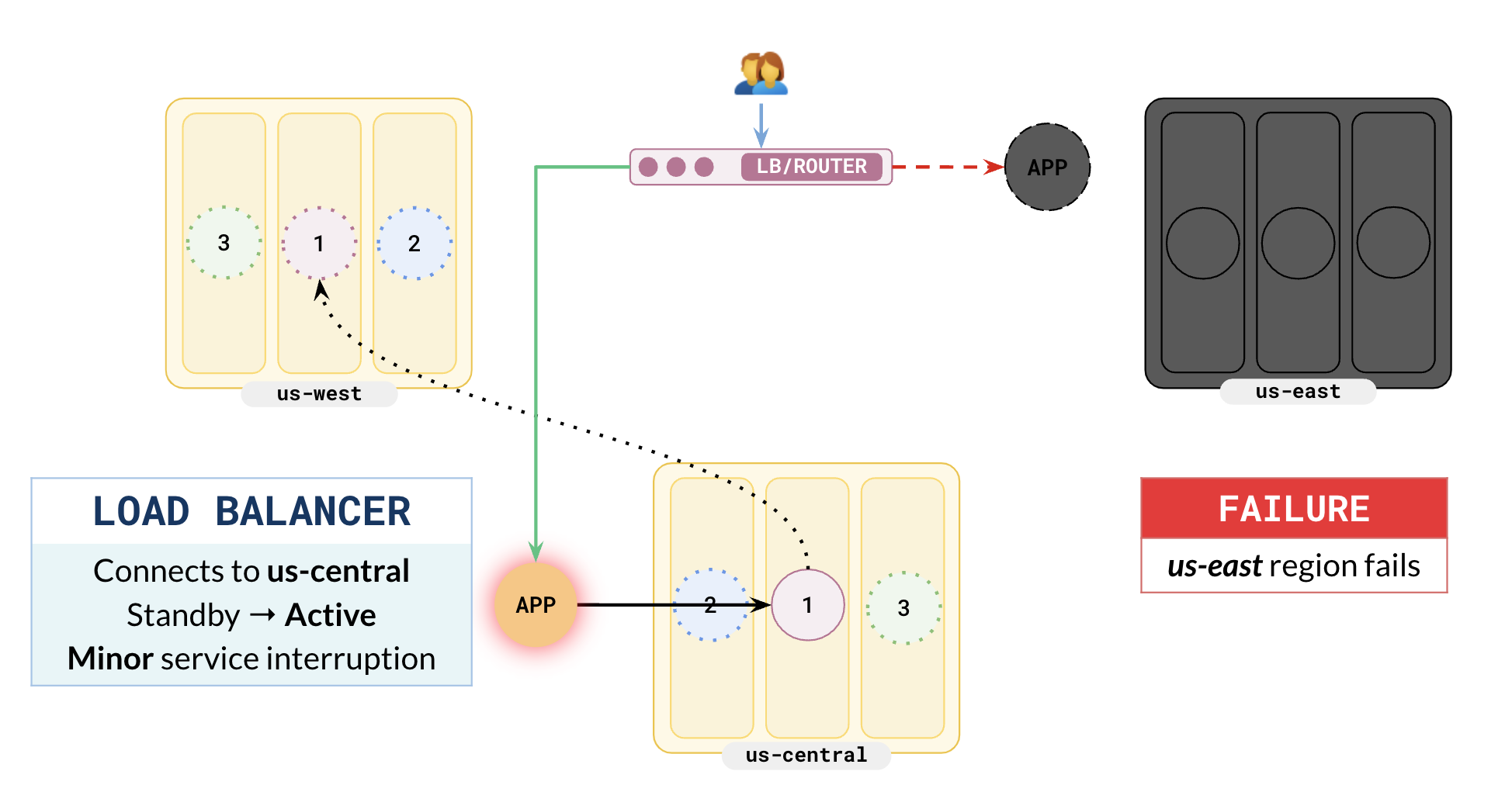
You will now have to fail over your applications. As you have already set up standby applications in us-central, you have to make changes in your load balancer to route the user traffic to the secondary region. The following illustration shows the load balancer routing user requests to the application instance in us-central.
## Smart driver
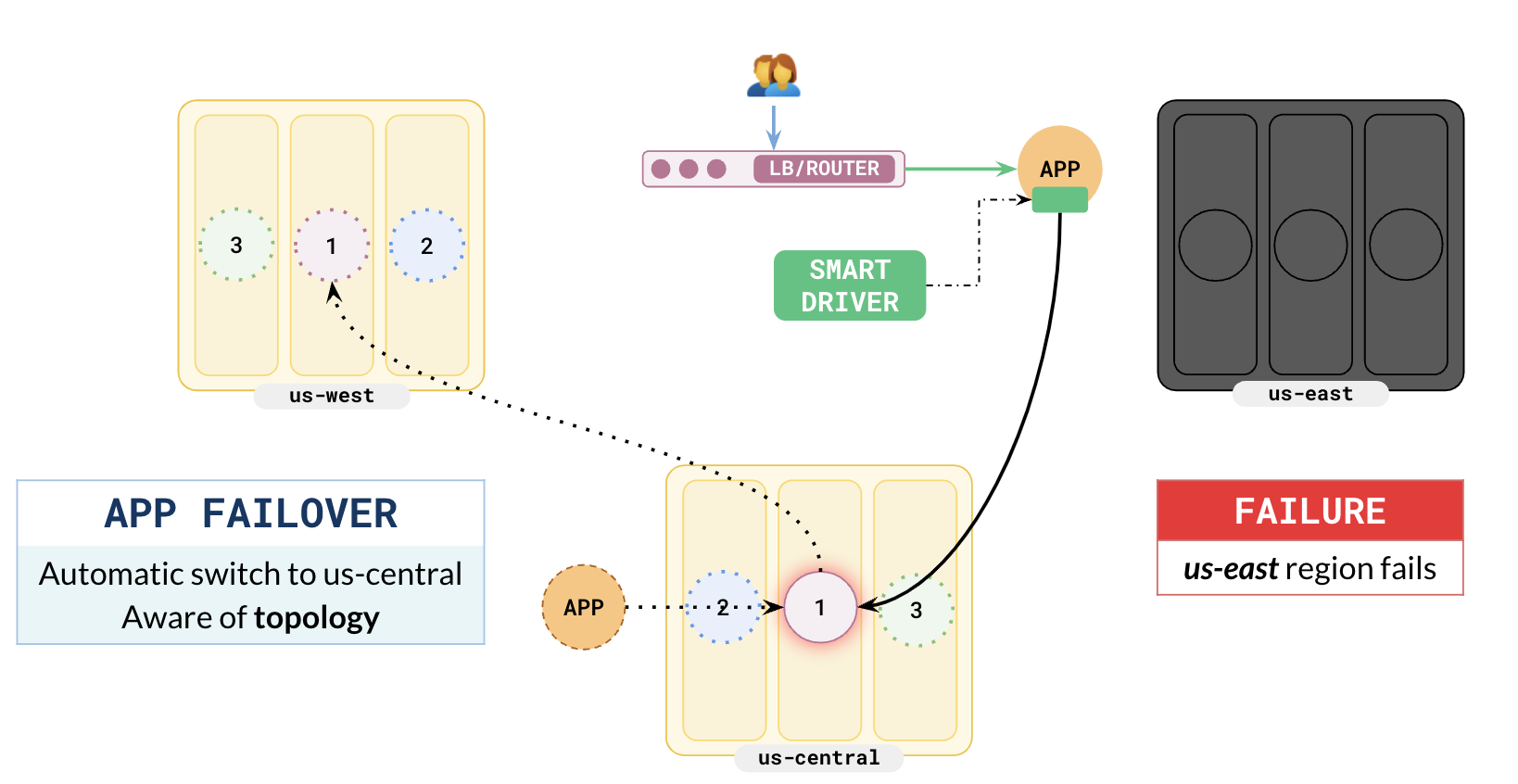
You can opt to use a YugabyteDB Smart Driver in your applications. The major advantage of this driver is that it is aware of the cluster configuration and will automatically route user requests to the secondary region in case the preferred region fails.
The following illustration shows how the primary application (assuming it is still running) in us-east automatically routes the user requests to the secondary region in the case of preferred region failure without any change needed in the load balancer.
## Region failure in a two-region setup
Enterprises commonly have one data center as their primary and another data center just for failover. For scenarios where you want to deploy the database in one region, you can deploy YugabyteDB in your primary data center and set up another cluster in the second data center as a backup, updated from the primary cluster using asynchronous replication. This is also known as the 2DC or xCluster model.
{{}}
Explore the [Active-Active Single-Master](/stable/develop/build-global-apps/active-active-single-master/) pattern.
{{}}