>**YugaPlus - The Story Begins**
>
>The first version of the YugaPlus streaming platform was set for its prime-time debut. The plan involved initially launching the service for users on the US West Coast, followed by a gradual rollout to users nationwide.
>
>The launch was successful, with the first users signing up for YugaPlus to enjoy their favorite movies, series, and sports events. The service, powered by PostgreSQL, handled the incoming traffic with ease.
In this chapter, you'll deploy one of the YugaPlus services—the movie recommendations service. This service takes user questions in plain English and uses an underlying generative AI stack (OpenAI, Spring AI, and PostgreSQL pgvector) or the full-text search capabilities of PostgreSQL to provide users with the most relevant movie recommendations.
You'll learn how to do the following:
* Deploy PostgreSQL with pgvector in Docker.
* Perform vector similarity or full-text searches in PostgreSQL.
**Prerequisites**
* [Docker](https://www.docker.com) 20 or later.
* [Docker Compose](https://docs.docker.com/compose/install/) 1.29 or later.
* An [OpenAI API key](https://platform.openai.com/docs/introduction). Without the API key, the application will revert to performing full-text searches over the movie catalog, instead of vector similarity searches. Note that the full-text search capability is significantly less advanced.
## Start PostgreSQL with pgvector
The pgvector extension transforms PostgreSQL into a vector database, capable of storing and accessing vectorized data. The movie recommendations service uses pgvector to provide users with highly relevant recommendations based on their input.
Follow these steps to start a PostgreSQL instance with pgvector and enable the extension:
1. Create a directory to serve as the volume for the PostgreSQL container:
```shell
rm -r ~/postgres-volume
mkdir ~/postgres-volume
```
1. Create a custom Docker network that will be used by PostgreSQL and other containers throughout this tutorial:
```shell
docker network create yugaplus-network
```
1. Start a PostgreSQL container using the latest version of the image with pgvector:
```shell
docker run --name postgres --net yugaplus-network \
-e POSTGRES_USER=postgres -e POSTGRES_PASSWORD=password \
-p 5432:5432 \
-v ~/postgres-volume/:/var/lib/postgresql/data \
-d ankane/pgvector:latest
```
1. Check the logs to ensure the container is up and running and PostgreSQL has initialized successfully:
```shell
docker container logs postgres
```
1. Wait for PostgreSQL to finish the initialization and then connect to the container enabling the pgvector extension:
```shell
! while ! docker exec -it postgres pg_isready -U postgres; do sleep 1; done
docker exec -it postgres psql -U postgres -c 'CREATE EXTENSION vector'
```
With the database operational, you're now ready to deploy the first version of YugaPlus on your machine!
## Deploy YugaPlus movie recommendations service
The service is comprised of a React frontend and a Java backend. Prior knowledge of React or Java is not necessary, nor is the installation of any language-specific toolchains required. Both the frontend and backend are deployed using Docker, which automatically downloads all necessary libraries and frameworks.
**Prepare for the deployment:**
1. Clone the YugaPlus repository:
```shell
git clone https://github.com/YugabyteDB-Samples/yugaplus-build-and-learn-tutorial.git
```
1. (Optional) [Create](https://platform.openai.com) an OpenAI API key. The application requires an OpenAI embedding model for vector similarity search. If you opt not to use OpenAI, the application will default to a less advanced full-text search mode.
1. Set your OpenAI API in the `{yugaplus-project-dir}/docker-compose.yaml` file by updating the `OPENAI_API_KEY` variable:
```yaml
- OPENAI_API_KEY=your-openai-key
```
**Start the application:**
1. Navigate to the YugaPlus project directory:
```shell
cd yugaplus-build-and-learn-tutorial
```
1. Build application images and start the containers:
```shell
docker compose up --build
```
The `yugaplus-backend` container connects to the PostgreSQL container, initializes the movie catalog, and preloads a sample dataset comprising over 2,800 movies. This dataset includes embeddings pre-generated for movie overviews using the OpenAI Embedding model (`text-embedding-ada-002`). Upon successful startup, the backend will display the following messages in the terminal window:
```output
INFO 1 --- [main] o.s.b.w.embedded.tomcat.TomcatWebServer : Tomcat started on port 8080 (http) with context path ''
INFO 1 --- [main] c.y.backend.YugaPlusBackendApplication : Started YugaPlusBackendApplication in 18.681 seconds (process running for 19.173)
```
The `yugaplus-frontend` container starts in a few seconds and can be accessed at .
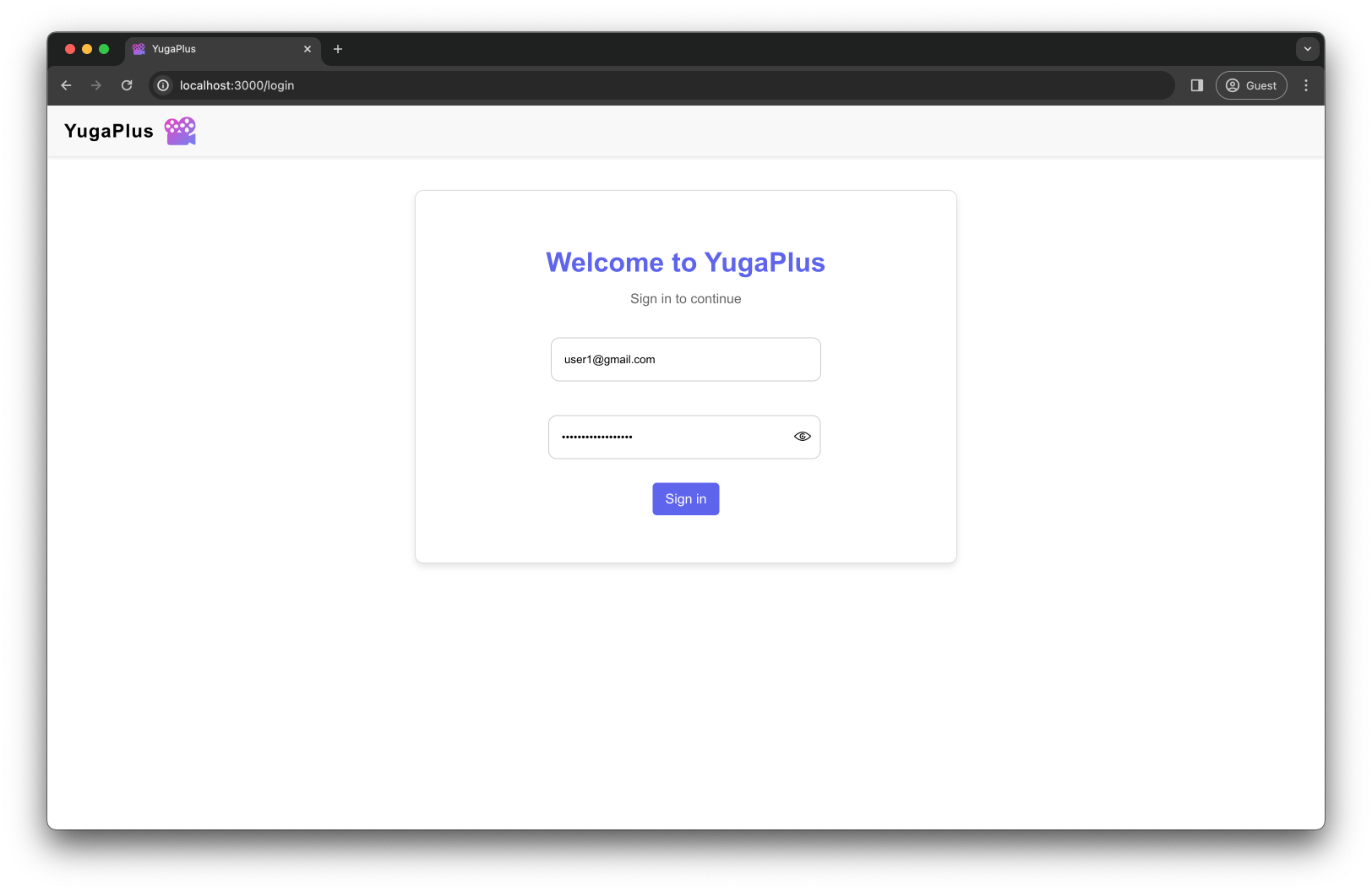
Proceed to sign in to YugaPlus! The app automatically pre-populates the sign-in form with the following user credentials:
* Username: `user1@gmail.com`
* Password: `MyYugaPlusPassword`
## Search for your favorite movies
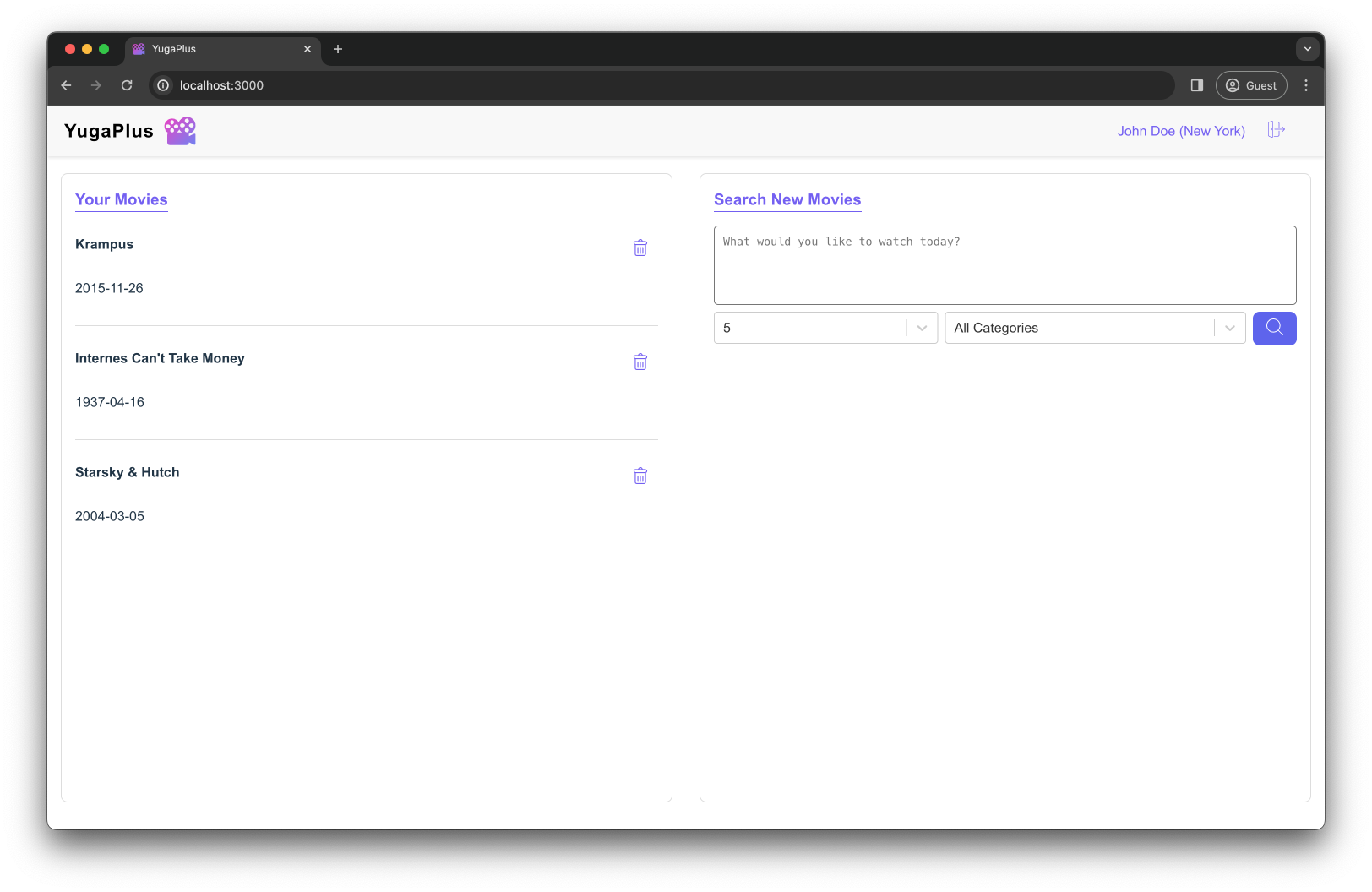
After you sign in, you'll see the YugaPlus home page split into two parts. In **Your Movies**, you'll find movies you're watching or want to watch. The **Search New Movies** section lets you find new movies by typing what you're looking for in plain English.
Internally, the service uses the following database schema:
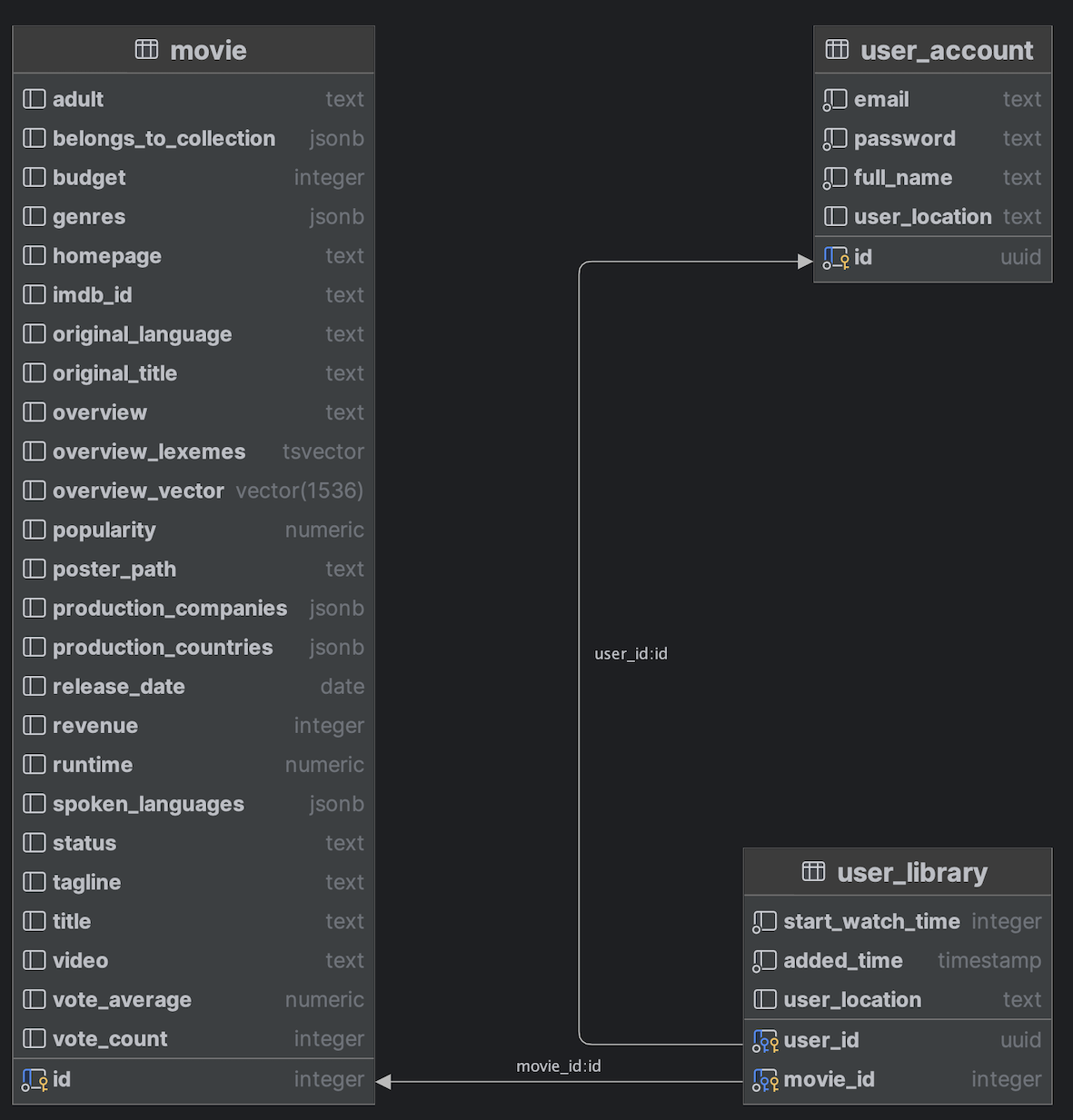
* `movie` - this table keeps track of movies on YugaPlus. The `overview_vector` column has 1536-dimensional vectors made using OpenAI's `text-embedding-ada-002` model from movie descriptions in the `overview` column. The `overview_lexemes` column stores the lexemes of movie overviews that are used for full-text search.
* `user_account` - this table holds user-specific details.
* `user_library` - this table lists the movies users have added to their libraries.
Next, type in the following to find a movie for a space adventure:
Congratulations, you've finished Chapter 1! You've successfully deployed the first version of the YugaPlus movie recommendations service and made it work on a PostgreSQL instance.
Moving on to [Chapter 2](../chapter2-scaling-with-yugabytedb), where you'll learn how to scale data and workloads using a multi-node YugabyteDB cluster.
 Full-Text Search
 Vector Similarity Search