The following tutorial implements a REST API server using the [Prisma](https://prisma.io) ORM. The scenario is that of an e-commerce application. Database access in this application is managed through the Prisma.
The source for this application can be found in the [Using ORMs with YugabyteDB](https://github.com/yugabyte/orm-examples/tree/master/node/prisma) repository.
{{< tip title="YugabyteDB Aeon requires SSL" >}}
Are you using YugabyteDB Aeon? Install the [prerequisites](/stable/develop/tutorials/build-apps/cloud-add-ip/).
{{}}
## Prerequisites
This tutorial assumes that you have installed YugabyteDB and created a cluster. Refer to [Quick Start](/stable/quick-start/macos/).
## Clone the orm-examples repository
```sh
$ git clone https://github.com/YugabyteDB-Samples/orm-examples.git
```
## Build the application
```sh
$ cd ./node/prisma/
```
```sh
$ npm install
```
## Set up the database connection
From your local YugabyteDB installation directory, connect to the [YSQL](../../../../../api/ysqlsh/) shell using the following command:
```sh
$ ./bin/ysqlsh
```
```output
ysqlsh (15.2-YB-{{}}-b0)
Type "help" for help.
yugabyte=#
```
Create the `ysql_prisma` database using the following command:
```sql
yugabyte=# CREATE DATABASE ysql_prisma;
```
Connect to the database using the following command:
```sql
yugabyte=# \c ysql_prisma;
```
## Specify the configuration
Modify the `DATABASE_URL` in the `.env` file according to your cluster configuration:
```sh
DATABASE_URL="postgresql://:@:/?ybServersRefreshInterval=10&loadBalance=true"
```
If you have a YugabyteDB Aeon cluster, do the following:
1. Download your [cluster certificate](/stable/yugabyte-cloud/cloud-secure-clusters/cloud-authentication/#download-your-cluster-certificate).
1. Install OpenSSL, if not present.
1. Convert the certificate from `.crt` to `.pem` format using:
```sh
$ openssl x509 -in -out cert.pem
```
1. Modify the `DATABASE_URL` by including the `cert_path` as the relative path of `cert.pem` with respect to the `/prisma` folder:
```sh
DATABASE_URL="postgresql://:@:/?sslmode=require&sslcert=&?ybServersRefreshInterval=10&loadBalance=true"
```
## Apply the migrations
Create the tables in YugabyteDB by applying the migration for the data models in the file `prisma/schema.prisma`, and generate the Prisma client using the following command:
```sh
$ npx prisma migrate dev --name first_migration
```
{{< note title="Note" >}}
To use the Prisma CLI without `npx`, install Prisma globally, as follows:
```sh
npm install -g prisma
```
{{< /note >}}
## Run the application
Start the Node.js API server at .
```sh
$ npm start
```
If port 8080 is already in use, change the port using the following command:
```sh
$ export PORT=
```
## Send requests to the application
Create 2 users.
```sh
$ curl --data '{ "firstName" : "John", "lastName" : "Smith", "email" : "jsmith@example.com" }' \
-v -X POST -H 'Content-Type:application/json' http://localhost:8080/users
```
```sh
$ curl --data '{ "firstName" : "Tom", "lastName" : "Stewart", "email" : "tstewart@example.com" }' \
-v -X POST -H 'Content-Type:application/json' http://localhost:8080/users
```
Create 2 products.
```sh
$ curl \
--data '{ "productName": "Notebook", "description": "200 page notebook", "price": 7.50 }' \
-v -X POST -H 'Content-Type:application/json' http://localhost:8080/products
```
```sh
$ curl \
--data '{ "productName": "Pencil", "description": "Mechanical pencil", "price": 2.50 }' \
-v -X POST -H 'Content-Type:application/json' http://localhost:8080/products
```
Create 2 orders.
```sh
$ curl \
--data '{ "userId": "1", "products": [ { "productId": 1, "units": 2 } ] }' \
-v -X POST -H 'Content-Type:application/json' http://localhost:8080/orders
```
```sh
$ curl \
--data '{ "userId": "2", "products": [ { "productId": 1, "units": 2 }, { "productId": 2, "units": 4 } ] }' \
-v -X POST -H 'Content-Type:application/json' http://localhost:8080/orders
```
## Query results
### Using ysqlsh
```plpgsql
ysql_prisma=# SELECT count(*) FROM users;
```
```output
count
-------
2
(1 row)
```
```plpgsql
ysql_prisma=# SELECT count(*) FROM products;
```
```output
count
-------
2
(1 row)
```
```plpgsql
ysql_prisma=# SELECT count(*) FROM orders;
```
```output
count
-------
2
(1 row)
```
### Using the REST API
```sh
$ curl http://localhost:8080/users
```
```output.json
{
"content": [
{
"userId": 2,
"firstName": "Tom",
"lastName": "Stewart",
"email": "tstewart@example.com"
},
{
"userId": 1,
"firstName": "John",
"lastName": "Smith",
"email": "jsmith@example.com"
}
]
}
```
```sh
$ curl http://localhost:8080/products
```
```output.json
{
"content": [
{
"productId": 2,
"productName": "Pencil",
"description": "Mechanical pencil",
"price": 2.5
},
{
"productId": 1,
"productName": "Notebook",
"description": "200 page notebook",
"price": 7.5
}
]
}
```
```sh
$ curl http://localhost:8080/orders
```
```output.json
{
"content": [
{
"orderId": "999ae272-f2f4-46a1-bede-5ab765bb27fe",
"userId": 2,
"orderTotal": 25,
"orderLines":[
{
"productId": 1,
"quantity": 2
},
{
"productId": 2,
"quantity": 4
}
]
},
{
"orderId": "1598c8d4-1857-4725-a9ab-14deb089ab4e",
"userId": 1,
"orderTotal": 15,
"orderLines":[
{
"productId": 1,
"quantity": 2
}
]
}
]
}
```
### Use Prisma Studio
Start Prisma Studio using the following command:
```sh
$ npx prisma studio
```
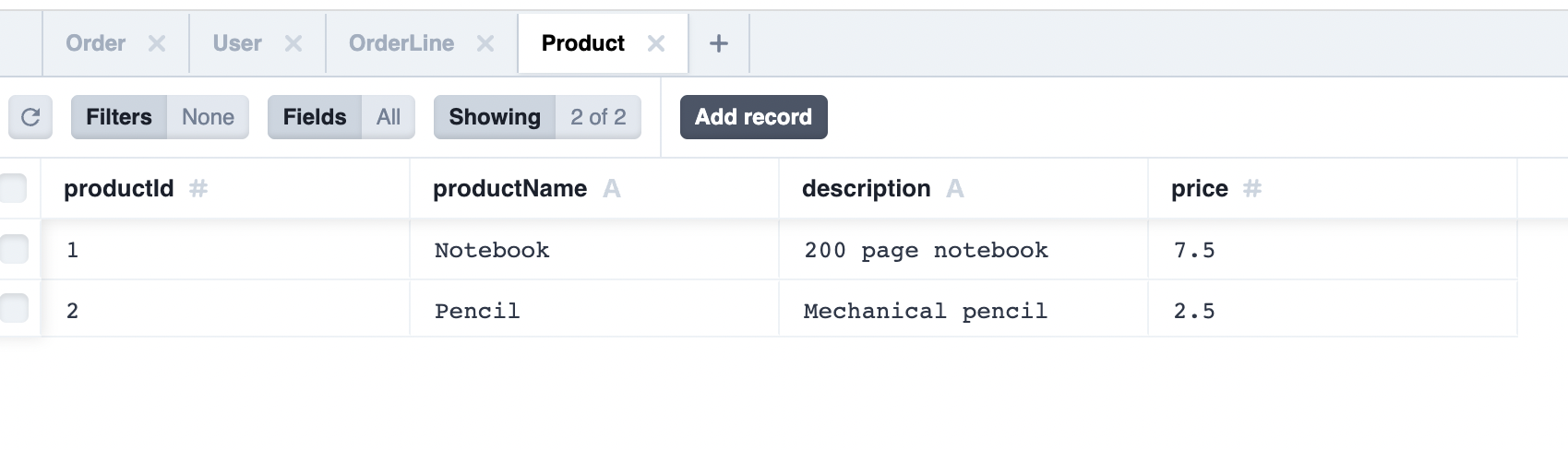
To view the tables and data created, go to [http://localhost:5555](http://localhost:5555).