For many applications, a single-region multi-zone deployment may suffice. But global applications that are designed to serve users across multiple geographies and be highly available have to be deployed in multiple regions.
To be ready for region failures and be highly available, you can set up YugabyteDB as a cluster that spans multiple regions. This stretch cluster is known as a **Global Database**.
{{}}
Application is active in one region at a time and does consistent reads.
{{}}
## Setup
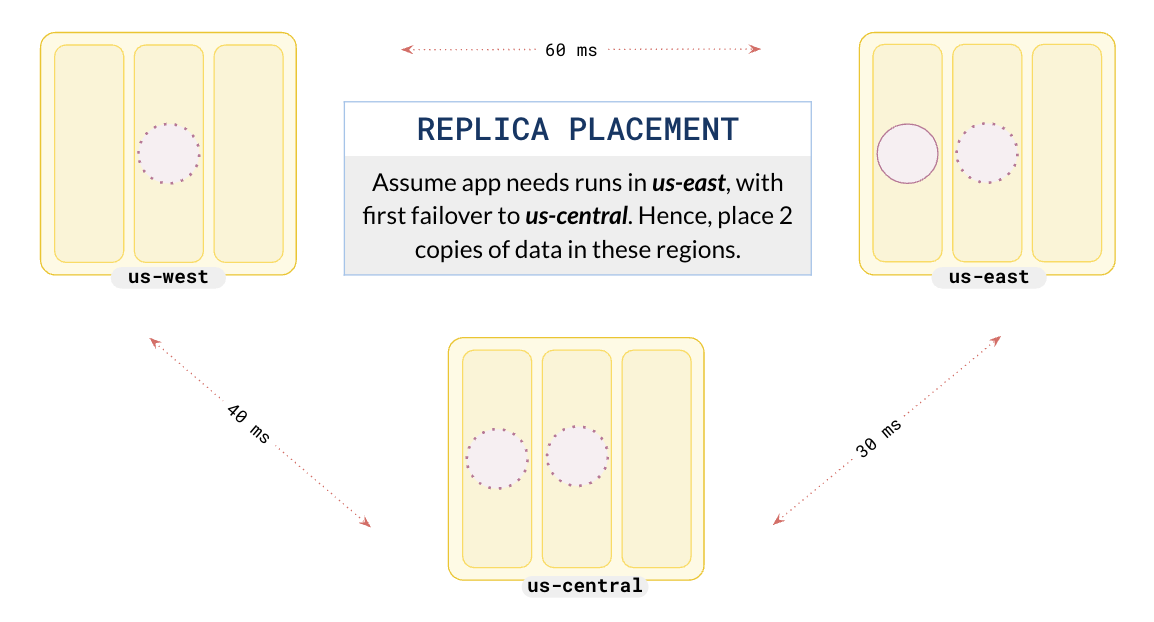
Suppose you want your cluster distributed across three regions (`us-east`, `us-central`, and `us-west`) and that you are going to run your application in `us-east` with failover set to `us-central`. To do this, you set up a cluster with a replication factor (RF) of 5, with two replicas of the data in the primary and failover regions and the last copy in the third region.
{{}}
Although you could use an RF 3 cluster, an RF 5 cluster provides quicker failover; with two replicas in the preferred regions, when a leader fails, a local follower can be elected as a leader, rather than a follower in a different region.
{{}}
{{}}
{{}}
The following illustration shows the desired setup.
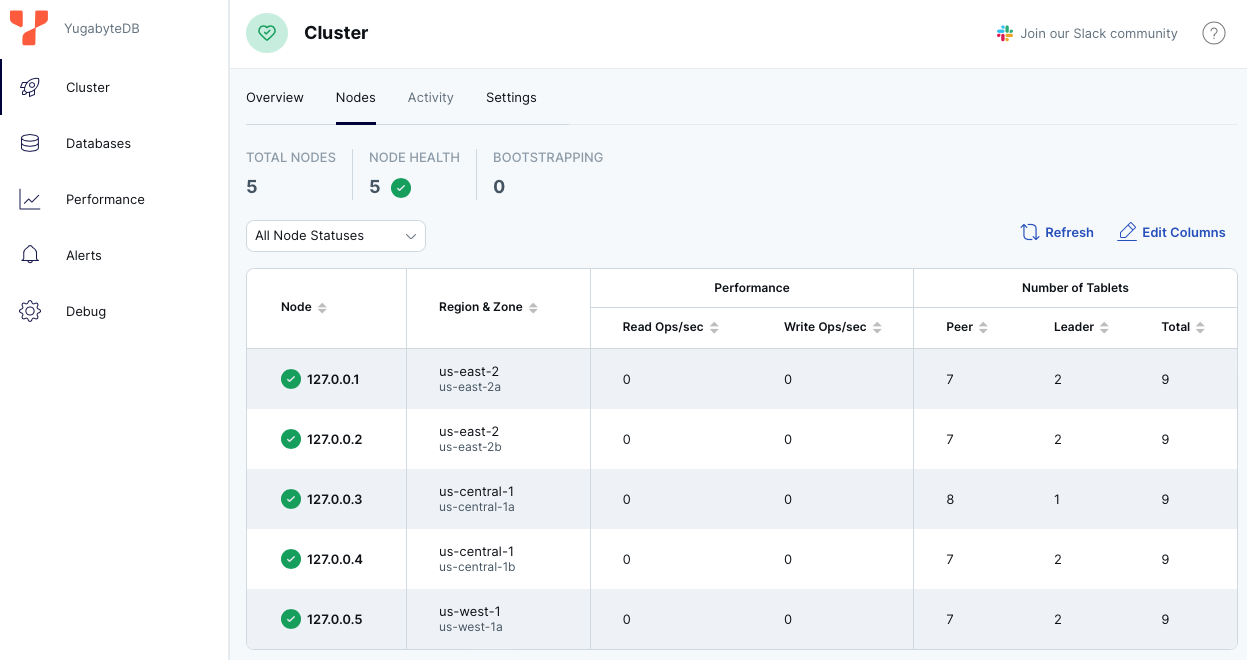
You can review the universe setup using the [YugabyteDB UI](http://127.0.0.1:15433/?tab=tabNodes).
### Add a table
Connect to the database using ysqlsh and create a table as follows:
```bash
./bin/ysqlsh
```
```output
ysqlsh (15.2-YB-{{}}-b0)
Type "help" for help.
```
```sql
CREATE TABLE users (
id int,
name VARCHAR,
PRIMARY KEY(id)
) SPLIT INTO 1 TABLETS;
```
```output
CREATE TABLE
Time: 112.915 ms
```
To simplify the example, the SPLIT INTO clause creates the table with a single tablet.
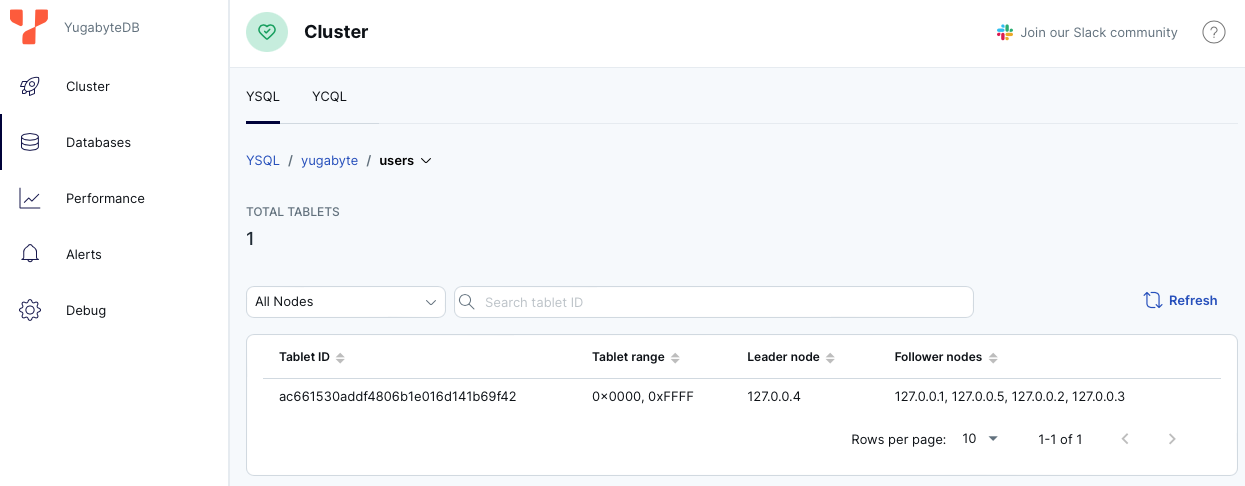
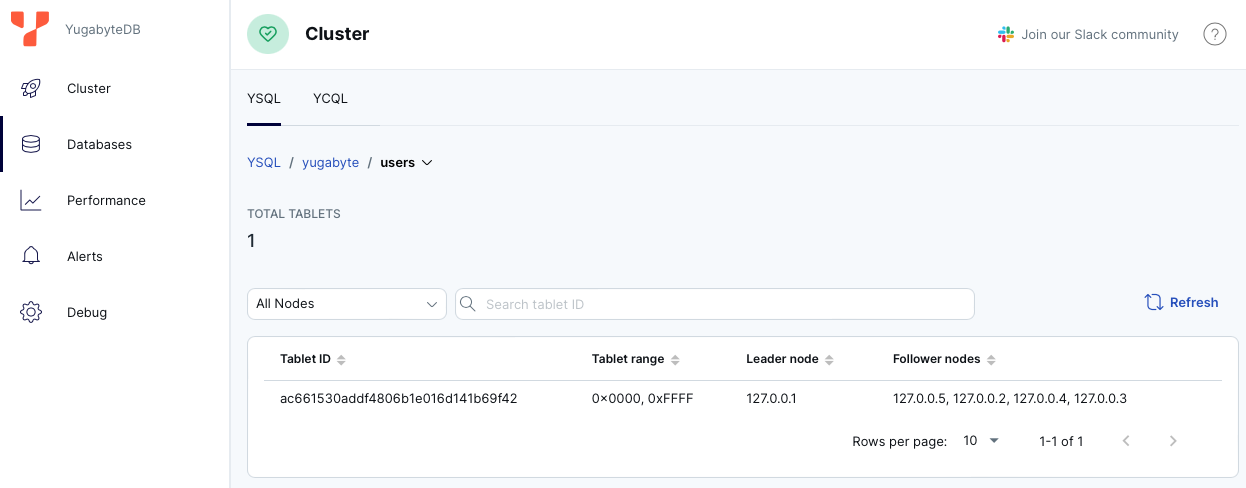
To review the tablet information, in the [YugabyteDB UI](http://127.0.0.1:15433/), on the **Databases** page, select the database and then select the table.
## Set preferred regions
As the application will run in `us-east` and you want it to failover to `us-central`, configure the database in the same manner by setting preferred regions.
Set `us-east` to be preferred region 1 and `us-central` to be preferred region 2 as follows:
```shell
./bin/yb-admin \
set_preferred_zones aws.us-east-2.us-east-2a:1 aws.us-central-1.us-central-1a:2 aws.us-west-1.us-west-1a:3
```
The leaders are placed in `us-east`.
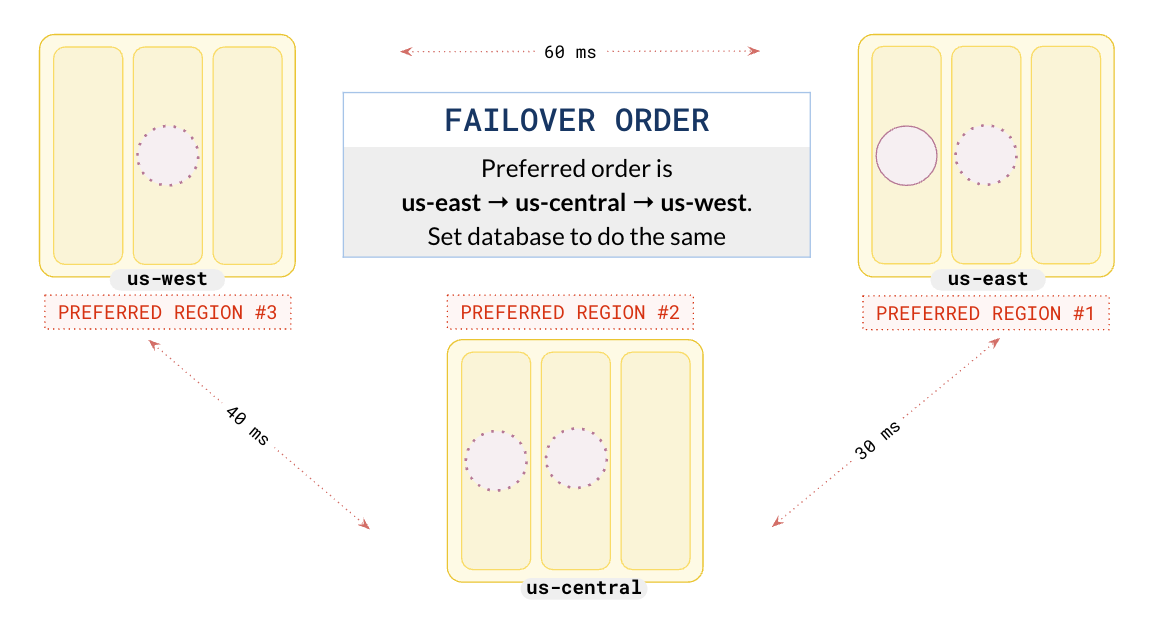
You can check the tablet information by going to the table on the **Database** page in the [YugabyteDB UI](http://127.0.0.1:15433/).
## Initial deploy
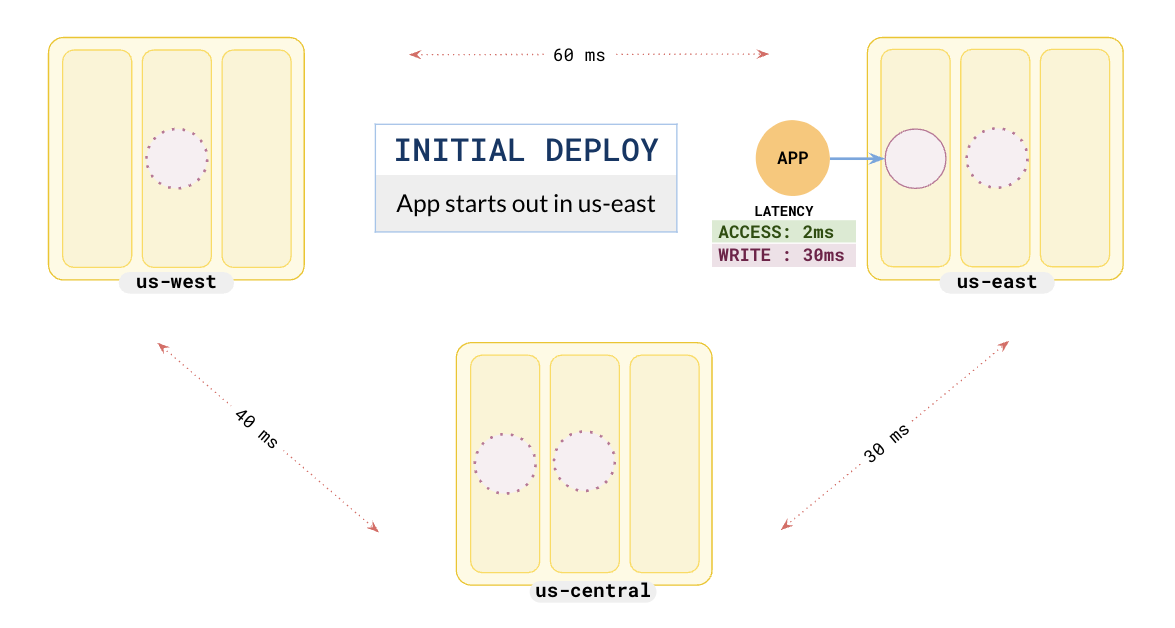
In this example, when the application starts in the east, it has a very low read latency of 2 ms as it reads from leaders in the same region. Writes take about 30 ms, as every write has to be replicated to at least 2 other replicas, one of which is located in the region, and the next closest one is in `us-central`, about 30 ms away.
## Failover
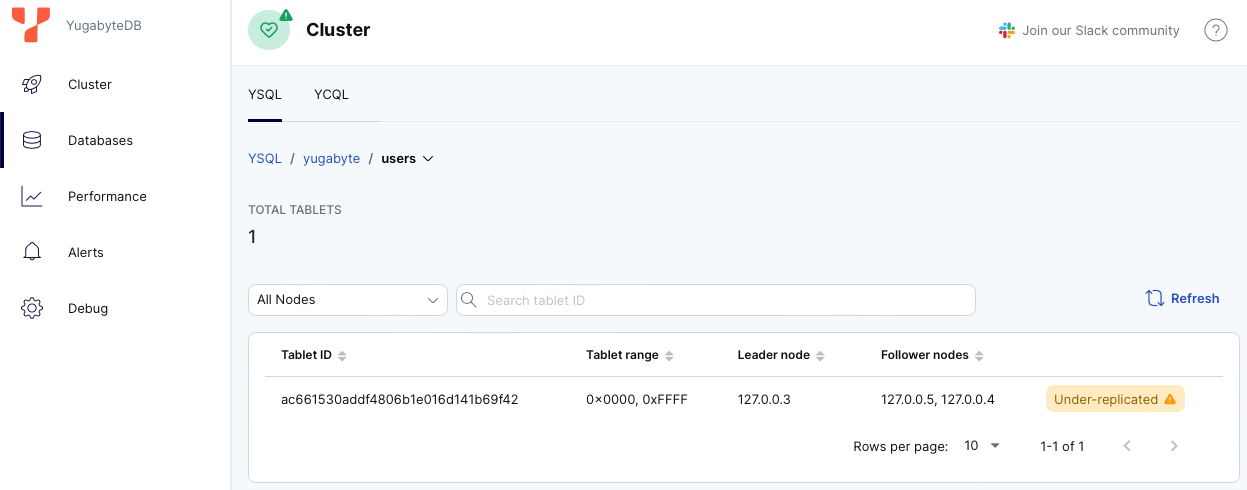
The **Global database** is automatically resilient to a single region failure. When a region fails, followers in other regions are promoted to leaders in seconds and continue to serve requests without any data loss. This is because the Raft-based **synchronous replication** guarantees that at least `1 + RF/2` nodes are consistent and up-to-date with the latest data. This enables the newly elected leader to serve the latest data immediately without any downtime for users.
To simulate the failure of the `us-east` region, stop the 2 nodes in `us-east` as follows:
{{%cluster/cmd op="stop" nodes="1,2"%}}
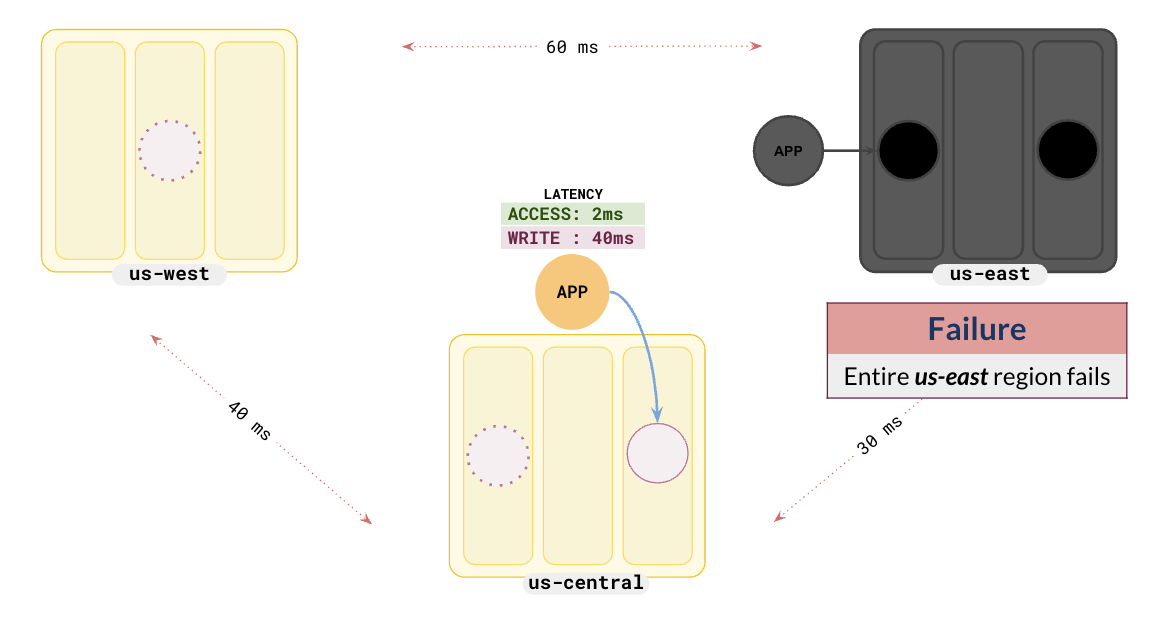
The followers in `us-central` have been promoted to leaders and the application can continue without any data loss.
Because `us-central` was configured as the second preferred region, when `us-east` failed, the followers in `us-central` were automatically elected to be the leaders. The application also starts communicating with the leaders in `us-central`, which was configured to be the first failover region. In this example, the write latency has increased to 40 ms from 30 ms. This is because the first replica is in `us-central` along with the leader, but the second replica is in `us-west`, which is 40 ms away.
## Improve latencies with closer regions
You can reduce the write latencies further by opting to deploy the cluster across regions that are closer to each other. For instance, instead of choosing `us-east`, `us-central`, and `us-west`, which are 30-60 ms away from each other, you could choose to deploy the cluster across `us-east-1`, `us-central`, and `us-east-2`, which are 10-40 ms away.
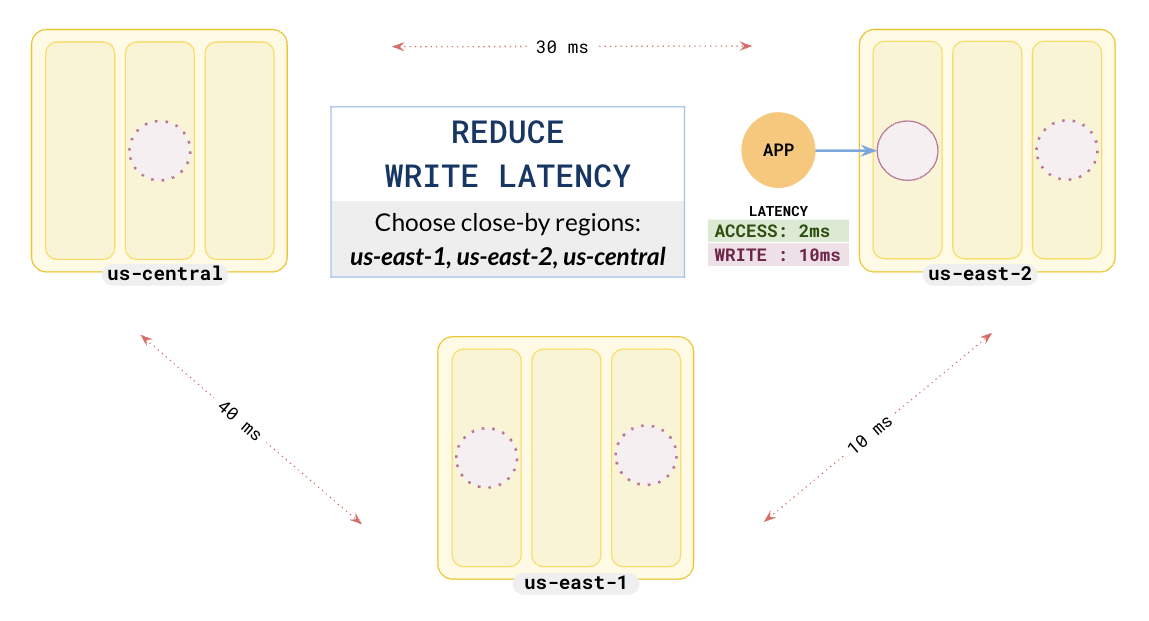
This would drastically reduce the write latency to 10 ms from the initial 30 ms.
## Learn more
- [Raft consensus protocol](../../../architecture/docdb-replication/replication)
- [yb-admin set-preferred-zones](../../../admin/yb-admin/#set-preferred-zones)